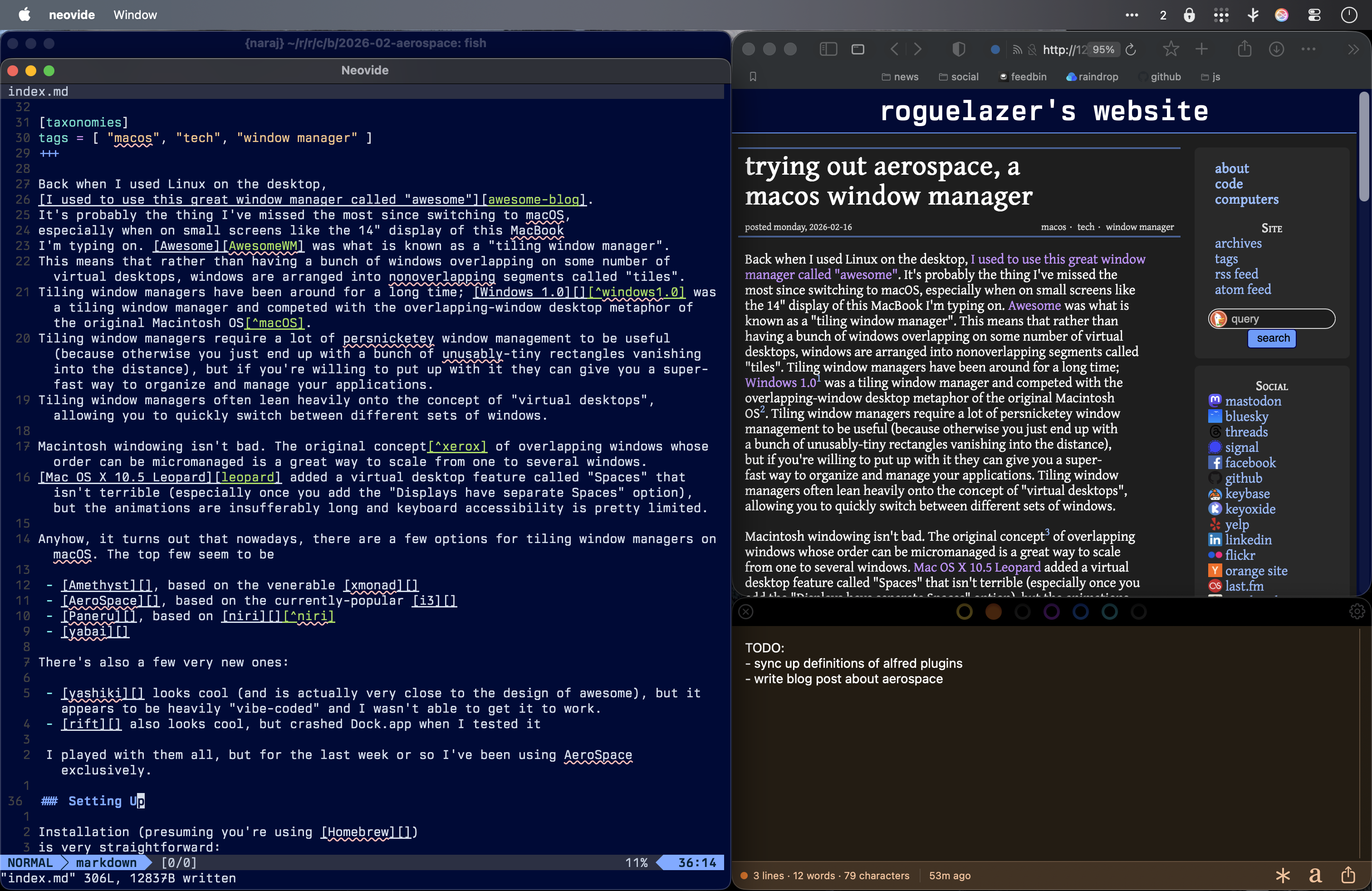
Back when I used Linux on the desktop, I used to use this great window manager called "awesome". It's probably the thing I've missed the most since switching to macOS, especially when on small screens like the 14" display of this MacBook I'm typing on. Awesome was what is known as a "tiling window manager". This means that rather than having a bunch of windows overlapping on some number of virtual desktops, windows are arranged into nonoverlapping segments called "tiles". Tiling window managers have been around for a long time; Windows 1.01 was a tiling window manager and competed with the overlapping-window desktop metaphor of the original Macintosh OS2. Tiling window managers require a lot of persnicketey window management to be useful (because otherwise you just end up with a bunch of unusably-tiny rectangles vanishing into the distance), but if you're willing to put up with it they can give you a super-fast way to organize and manage your applications. Tiling window managers often lean heavily onto the concept of "virtual desktops", allowing you to quickly switch between different sets of windows.
Macintosh windowing isn't bad. The original concept3 of overlapping windows whose order can be micromanaged is a great way to scale from one to several windows. Mac OS X 10.5 Leopard added a virtual desktop feature called "Spaces" that isn't terrible (especially once you add the "Displays have separate Spaces" option), but the animations are insufferably long and keyboard accessibility is pretty limited.
Anyhow, it turns out that nowadays, there are a few options for tiling window managers on macOS. The top few seem to be
- Amethyst, inspired by the venerable xmonad
- AeroSpace, inspired by the currently-popular i3
- Paneru, inspired by niri4
- yabai
There's also a few very new ones:
- yashiki looks cool (and is actually very close to the design of awesome), but it appears to be heavily "vibe-coded" and I wasn't able to get it to work.
- rift also looks cool, but crashed Dock.app when I tested it
I played with them all, but for the last week or so I've been using AeroSpace exclusively.
Setting Up
Installation (presuming you're using Homebrew) is very straightforward:
brew install --cask nikitabobko/tap/aerospaceYou'll have to go to System Settings → Privacy & Security → Accessibility and add both /Applications/AeroSpace.app. At this point they can control your whole computer, so, uh, here's hoping they aren't malware.
AeroSpace is configured via a TOML file at ~/.aerospace.toml.
config-version = 2

# You can use it to add commands that run after AeroSpace startup.
# Available commands : https://nikitabobko.github.io/AeroSpace/commands
after-startup-command = []

start-at-login = true

# Normalizations. See: https://nikitabobko.github.io/AeroSpace/guide#normalization
enable-normalization-flatten-containers = true
enable-normalization-opposite-orientation-for-nested-containers = true

# See: https://nikitabobko.github.io/AeroSpace/guide#layouts
# The 'accordion-padding' specifies the size of accordion padding
# You can set 0 to disable the padding feature
accordion-padding = 30

# Possible values: tiles|accordion
default-root-container-layout = 'tiles'

# Possible values: horizontal|vertical|auto
# 'auto' means: wide monitor (anything wider than high) gets horizontal orientation,
#               tall monitor (anything higher than wide) gets vertical orientation
default-root-container-orientation = 'auto'

# Mouse follows focus when focused monitor changes
# Drop it from your config, if you don't like this behavior
# See https://nikitabobko.github.io/AeroSpace/guide#on-focus-changed-callbacks
# See https://nikitabobko.github.io/AeroSpace/commands#move-mouse
# Fallback value (if you omit the key): on-focused-monitor-changed = []
on-focused-monitor-changed = ['move-mouse monitor-lazy-center']

# Also see: https://nikitabobko.github.io/AeroSpace/goodies#disable-hide-app
automatically-unhide-macos-hidden-apps = false

# List of workspaces that should stay alive even when they contain no windows,
# even when they are invisible.
# This config version is only available since 'config-version = 2'
# Fallback value (if you omit the key): persistent-workspaces = []
persistent-workspaces = ["1", "2", "3", "4", "5", "6", "7", "8", "9", "Z"]

# A callback that runs every time binding mode changes
# See: https://nikitabobko.github.io/AeroSpace/guide#binding-modes
# See: https://nikitabobko.github.io/AeroSpace/commands#mode
on-mode-changed = []

# Possible values: (qwerty|dvorak|colemak)
# See https://nikitabobko.github.io/AeroSpace/guide#key-mapping
[key-mapping]
    preset = 'qwerty'

# Gaps between windows (inner-*) and between monitor edges (outer-*).
# Possible values:
# - Constant:     gaps.outer.top = 8
# - Per monitor:  gaps.outer.top = [{ monitor.main = 16 }, { monitor."some-pattern" = 32 }, 24]
#                 In this example, 24 is a default value when there is no match.
#                 Monitor pattern is the same as for 'workspace-to-monitor-force-assignment'.
#                 See:
#                 https://nikitabobko.github.io/AeroSpace/guide#assign-workspaces-to-monitors
[gaps]
    inner.horizontal = 0
    inner.vertical =   0
    outer.left =       0
    outer.bottom =     0
    outer.top =        0
    outer.right =      0

# 'main' binding mode declaration
# See: https://nikitabobko.github.io/AeroSpace/guide#binding-modes
# 'main' binding mode must be always presented
# Fallback value (if you omit the key): mode.main.binding = {}
[mode.main.binding]

    # All possible keys:
    # - Letters.        a, b, c, ..., z
    # - Numbers.        0, 1, 2, ..., 9
    # - Keypad numbers. keypad0, keypad1, keypad2, ..., keypad9
    # - F-keys.         f1, f2, ..., f20
    # - Special keys.   minus, equal, period, comma, slash, backslash, quote, semicolon,
    #                   backtick, leftSquareBracket, rightSquareBracket, space, enter, esc,
    #                   backspace, tab, pageUp, pageDown, home, end, forwardDelete,
    #                   sectionSign (ISO keyboards only, european keyboards only)
    # - Keypad special. keypadClear, keypadDecimalMark, keypadDivide, keypadEnter, keypadEqual,
    #                   keypadMinus, keypadMultiply, keypadPlus
    # - Arrows.         left, down, up, right

    # All possible modifiers: cmd, alt, ctrl, shift

    # All possible commands: https://nikitabobko.github.io/AeroSpace/commands

    # See: https://nikitabobko.github.io/AeroSpace/commands#layout
    alt-slash = 'layout tiles horizontal vertical'
    alt-comma = 'layout accordion horizontal vertical'

    # See: https://nikitabobko.github.io/AeroSpace/commands#focus
    alt-h = 'focus --boundaries-action wrap-around-the-workspace left'
    alt-j = 'focus --boundaries-action wrap-around-the-workspace down'
    alt-k = 'focus --boundaries-action wrap-around-the-workspace up'
    alt-l = 'focus --boundaries-action wrap-around-the-workspace right'

    alt-q = 'focus-monitor left'
    alt-e = 'focus-monitor right'

    # See: https://nikitabobko.github.io/AeroSpace/commands#move
    alt-shift-h = 'move left'
    alt-shift-j = 'move down'
    alt-shift-k = 'move up'
    alt-shift-l = 'move right'

    # See: https://nikitabobko.github.io/AeroSpace/commands#resize
    alt-minus = 'resize smart -50'
    alt-equal = 'resize smart +50'

    # See: https://nikitabobko.github.io/AeroSpace/commands#workspace
    ctrl-1 = 'workspace 1'
    ctrl-2 = 'workspace 2'
    ctrl-3 = 'workspace 3'
    ctrl-4 = 'workspace 4'
    ctrl-5 = 'workspace 5'
    ctrl-6 = 'workspace 6'
    ctrl-7 = 'workspace 7'
    ctrl-8 = 'workspace 8'
    ctrl-9 = 'workspace 9'
    ctrl-0 = 'workspace Z'

    ctrl-left = 'workspace prev'
    ctrl-semicolon = 'workspace prev'
    ctrl-right = 'workspace next'
    ctrl-quote = 'workspace next'

    ctrl-shift-semicolon = 'focus-monitor prev'
    ctrl-shift-quote = 'focus-monitor next'

    # See: https://nikitabobko.github.io/AeroSpace/commands#move-node-to-workspace
    ctrl-shift-1 = 'move-node-to-workspace 1'
    ctrl-shift-2 = 'move-node-to-workspace 2'
    ctrl-shift-3 = 'move-node-to-workspace 3'
    ctrl-shift-4 = 'move-node-to-workspace 4'
    ctrl-shift-5 = 'move-node-to-workspace 5'
    ctrl-shift-6 = 'move-node-to-workspace 6'
    ctrl-shift-7 = 'move-node-to-workspace 7'
    ctrl-shift-8 = 'move-node-to-workspace 8'
    ctrl-shift-9 = 'move-node-to-workspace 9'
    ctrl-shift-0 = 'move-node-to-workspace Z'

    alt-tab = 'workspace-back-and-forth'
    alt-shift-tab = 'move-workspace-to-monitor --wrap-around next'

    alt-space = 'fullscreen'

    alt-shift-semicolon = 'mode service'

    ctrl-shift-enter = "exec-and-forget kitty -1 --detach -d $HOME"

# 'service' binding mode declaration.
# See: https://nikitabobko.github.io/AeroSpace/guide#binding-modes
[mode.service.binding]
    alt-shift-semicolon = 'mode main'

    esc = ['reload-config', 'exec-and-forget osascript -e "display notification \"aerospace config reloaded\" with title \"aerospace\""', 'mode main']
    r = ['flatten-workspace-tree', 'mode main'] # reset layout
    f = ['layout floating tiling', 'mode main'] # Toggle between floating and tiling layout

    alt-shift-q = 'move-workspace-to-monitor left'
    alt-shift-e = 'move-workspace-to-monitor right'

    alt-shift-h = ['join-with left', 'mode main']
    alt-shift-j = ['join-with down', 'mode main']
    alt-shift-k = ['join-with up', 'mode main']
    alt-shift-l = ['join-with right', 'mode main']

[[on-window-detected]]
    if.app-id = "com.markmcguill.strongbox"
    run = ['layout floating']

[[on-window-detected]]
    if.app-id = "com.1password.1password"
    run = ['layout floating']

[[on-window-detected]]
    if.app-id = "com.iconfactory.Tot"
    run = ['layout floating']

[[on-window-detected]]
    if.app-id = "com.apple.mail"
    run = ["move-node-to-workspace Z"]

[[on-window-detected]]
    if.app-id = "com.apple.MobileSMS"
    run = ["move-node-to-workspace Z"]

[[on-window-detected]]
    if.app-id = "com.gather.GatherV2"
    run = ["move-node-to-workspace Z"]

[[on-window-detected]]
    if.app-id = "com.tinyspeck.slackmacgap"
    run = ["move-node-to-workspace Z"]

[[on-window-detected]]
    if.app-id = "net.shinyfrog.bear"
    run = ["move-node-to-workspace Z"]

[[on-window-detected]]
    if.app-id = "com.mimestream.Mimestream"
    run = ["move-node-to-workspace Z"]
Add-Ons
There are a few useful addons I'd recommend; the first is SwipeAeroSpace, which lets you remap 3- or 4-finger swipes to switch virtual desktops in AeroSpace. If you already use BTT or equivalent, you don't need this.
Install it with
brew install --cask mediosz/tap/swipeaerospaceThen add it to Accessibility in System Settings (just like you did for AeroSpace) and launch the app.
The next thing I've been working on is an Alfred workflow to control Aerospace. You can download a prototype of it at 📁 aerospace.workflow. It supports the new alfred triggers asp to bring up the aerospace command menu, and aw to quickly switch workspaces.
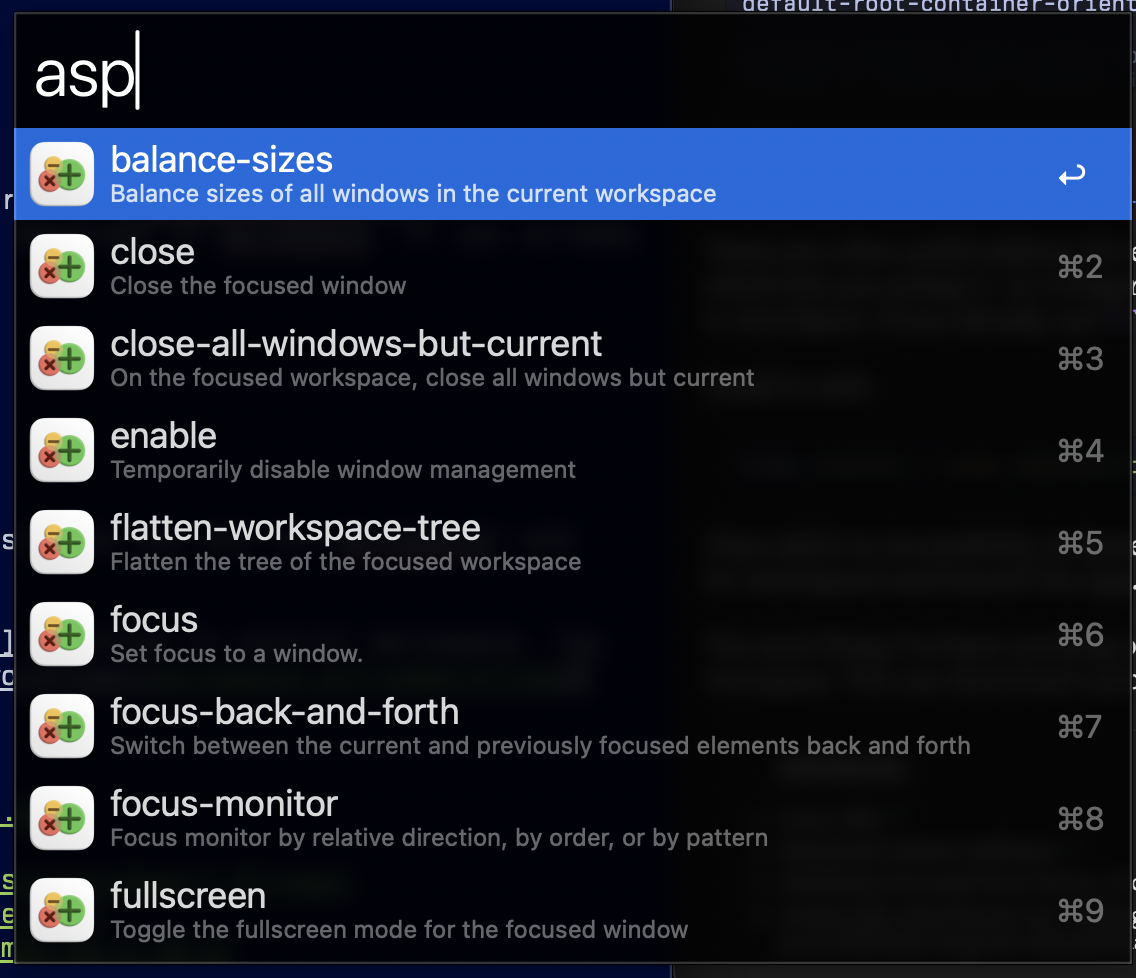
It's still super-janky, so I haven't published it to the workflow gallery.
A lot of people online use tools like SwiftBar and SketchyBar with these alternate WMs, but I haven't seen any reason to do so yet.
Anyhow, that's where I have it today. Maybe I'll blog some more if this sticks for a few months.
Want to comment on this? How about we talk on Mastodon instead?