Dark Mode
Small update: this website now supports "Dark Mode" on macOS 10.14+ iOS 13+, and the forthcoming Android Q, all using the
prefers-color-scheme CSS media
selector. Let me know if you see anything that looks janky!
Small update: this website now supports "Dark Mode" on macOS 10.14+ iOS 13+, and the forthcoming Android Q, all using the
prefers-color-scheme CSS media
selector. Let me know if you see anything that looks janky!
I've been on-call for most of the last 11 years. I was on-call for the CS Department at Mudd1. I was on-call at Yelp, in a rotation that at times contained as few as three people. I was on-call at Uber in rotations ranging from one to twenty people. And I've been on-call at EasyPost — initially in a rotation with one other person2, and currently with two other people. I have responded to tens of thousands of pages. I have been woken up in the middle of the night hundreds3 of times. For the last seven or so years, I've worked at firms where on-call was a BYOD kind of a deal — you bring your own cell phone, register it in PagerDuty, and that's how you handle being on-call. This is my ode to the unfairly-hated pager, to the practices of yore.
Let's look at the phone you have in your pocket right now4:
Hey buddy, this call is from the Department of Social Security
Is this the device you want to have to have on and audible 24 hours a day, 365 days a year? Do you love the idea of Apple's Do Not Disturb feature? Well, screw you because PagerDuty might need to reach you at any instant6. Do you miss going out into the woods for a hike? Too bad, Apple had to shave 0.7mm off the latest iPhone so now the antenna only works if it has direct line of sight to the AT&T worldwide headquarters in Dallas, TX. Want to quickly see what you're getting paged about? I hope you like watching this brief animation as all your icons swoosh in from whatever armpit of the universe they spend the off-time drinking in before you can actually do anything. Oh, you're using the native PagerDuty app? Well, then, you've got to give it 10 seconds to load (despite the fact that the Apple A12 CPU in your phone is faster than any computer CPU that existed anywhere on the planet 10 years ago) so that it can render some emojis and prompt you to take an "On-Call Selfie"7.
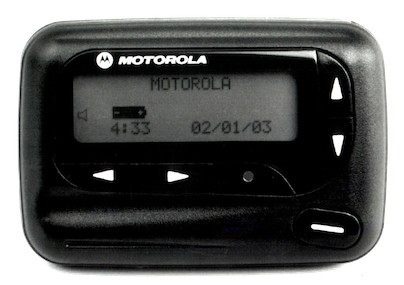
My ideal on-call device would look something like the following:
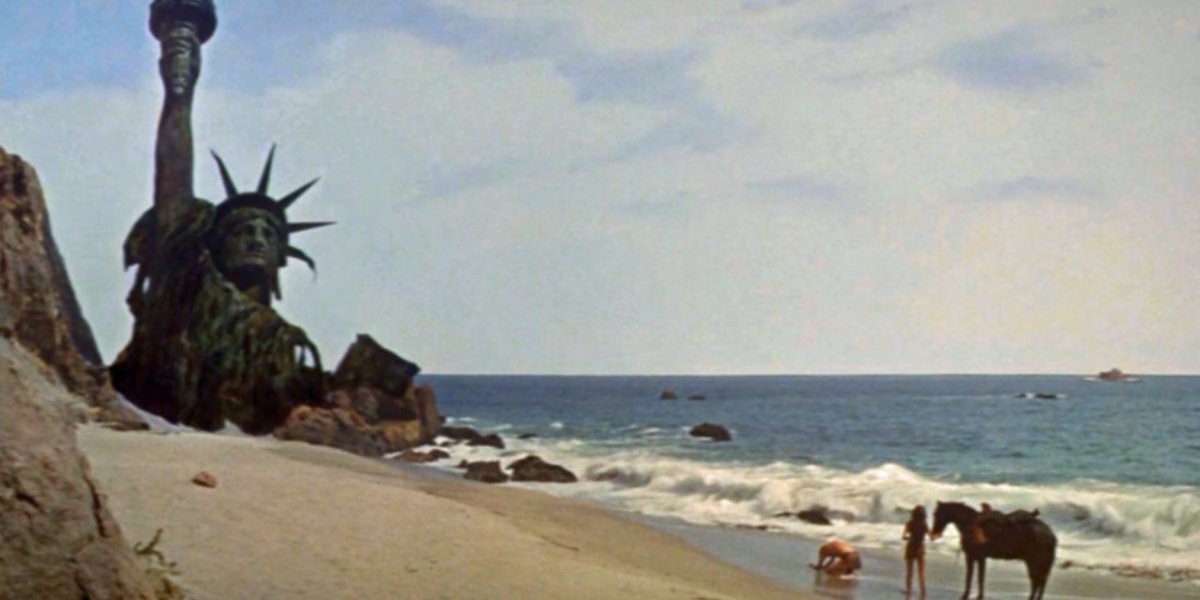
CRITICAL: web1sf - 4 packets transmitted, 0 received, 100% packet lossDo you know what I've just described, you bunch of ingrates? You damned dirty apes? A bona fide two-way pager. We had the technology! We had built the perfect system! And we destroyed it! In our frivolous pursuit of only carrying one device, in our employers' endless pursuit of simpler procurement, we got rid of a system where your employer provides a simple-to-use single-function device to you, the employee, and replaced it with a system where you bring your own massively over-complicated device, pay your own connectivity bills, and then miss pages at 3 in the morning because you got too many goddamn Farmville notifications and your battery died.
If I recall correctly, we had a physical pager and it went off exactly twice in the two years I was on the rotation. ↩
Every on-call since Mudd has followed the best practice of having two people on-call at all times (Primary and Secondary) to minimize missed pages, so a two-person rotation means you are literally on-call 24 hours a day, 7 days a week, 366 days a year on leap years. ↩
Hundreds might be conservative; I've never kept track but I'd say no less than once a month and no more than 20 times a month for the last 10 years, which gives us between 120 and 2000 wake-ups. ↩
I don't really want to get into this side of things, but the other big issue is that this thing in your pocket is your device and it absolutely blows that the company who's already making you wake up at 3 in the morning is also making you use your personal property to do it. And if you've made the personal choice not to have a cell phone? Good luck getting a job in this industry, buddy. ↩
From a security perspective, I dearly hope it either runs iOS or stock Android on a Pixel. Friends don't let friends use OEM-crapified Android. ↩
Yes, I know, you can bypass Do Not Disturb for voice phone calls from specific numbers on iOS, and you can bypass it for more kinds of alerts on Android. I have never found the bypasses to be reliable. ↩
Seriously: the on-call selfie thing was the most tone deaf crap I've ever seen from PagerDuty. When I get woken up at 3 in the morning because some other team broke something, I most definitely do not want to take my picture and tweet it. ↩
How many industry outages do you think 5G/mmWave will cause from people losing their cell service because it got foggy? ↩
That's right, I already have to have a second device with me all the time anyway because there are very few issues severe enough to page me but simple enough to fix from a 5" cell phone screen. ↩

Everyone who even casually follows the tech industry knows, intellectually, that Google builds an enormous dystopian profile of everything you do in order to sell ads1.
But I think there's a difference between knowing that Google Analytics is a shameless back door to do cross-site tracking and actually coming face-to-face with your own profile. Yesterday, CNBC featured a
story about a new
Google UI which shows you a list of every purchase that you've made in the last few years:
https://myaccount.google.com/purchases. For me, wide variety of commercial activity — every
purchase I've ever made at a store that uses Square, every Amazon purchase, every Apple purchase, every movie ticket.
I see gifts for my wife, work purchases, and even food for my rabbits. And on almost every item is a note: This
purchase was found in your Gmail.
It's been clear for a long time that Google as a company no longer considers their users to be much more than piñatas full of delicious data; for me, seeing that list of the last 7+ years of every purchase I've made electronically is the last straw. As of today, I'm taking my personal domain (roguelazer.com) off of the grandfathered free-tier Gsuite2 mail hosting that it's had for the last 10+ years and moving it to a host that seems less inclined to aggressively mine it for data, and moving as many accounts as possible to no longer depend on my gmail.com account. I opened my Gmail account 15 years ago3, so I guess it's time to move on.
I went through the current crop of mail hosts, and evaluated them against the following conditions:
After doing some research, I decided that Fastmail was the least-worst option4. So I've migrated all my mail out of Gsuite onto Fastmail, re-pointed my MX records, and configured Gsuite to route any mails that still trickle into it over to Fastmail. Some time tomorrow when all the TTLs have expired, I will be shutting down my Gsuite account5.
If you want to have a chance in hell that our grandkids won't live in a surveillance dystopia, search with DuckDuckGo, close your Gmail account, switch to Firefox, and remind your elected officials that the world would be a better place without Big Data.
"Google Apps for Your Domain" when I signed up for it in 2007... ↩
August 12, 2004. What a different time. ↩
Yes, I've already had Protonmail recommended to me by a half-dozen people. I've tried it, but it misses half my criteria and at this point I think anyone pushing a commercial VPN as a product for any reason is probably a snake-oil salesman. ↩
Don't worry, I used the helpful Google Takeout tool to dump out an .mbox of my mail for historical purposes. ↩

My current PGP/GnuPG key is expiring, so I've rolled a new one. The ID of the new key
is 0x3C7775DD37811E62 (full fingerprint:
1ED5 E5A3 01C3 D109 9040 2289 3C77 75DD 3781 1E62)
and it should be in your favorite keyservers,
cross-signed by my old key. You can also find it at https://files.roguelazer.com/roguelazer.gpg.
It has also been attached to my keybase.io account and my Github
profile. My previous key (0xAEE8F2454A41B87D
My signed transition document is below, and can also be found at 2019-04-27-key-transition-statement.txt.asc if you prefer to download it directly.
Additionally, I have generated a separately-signed key with ID 0x233E5EAF0EC3ABA9 (full fingerprint:
14E8 9660 188D BC9B 2C17 67AA 233E 5EAF 0EC3 ABA9). This key should not be used for communication,
but will only be used to sign VCS commits/tags/&c (in Git and perhaps in
Pijul). It's going to be on my [managed] work computer, so treat it with a grain
of salt.
I went up yesterday with my wife's family to hike around on some Sonoma Land Trust property up in the North Bay and brought my camera. It's amazing to see the hills green and growing after so many years of drought! You can see a smattering of photos in this flickr album, but here are some of my favorites:

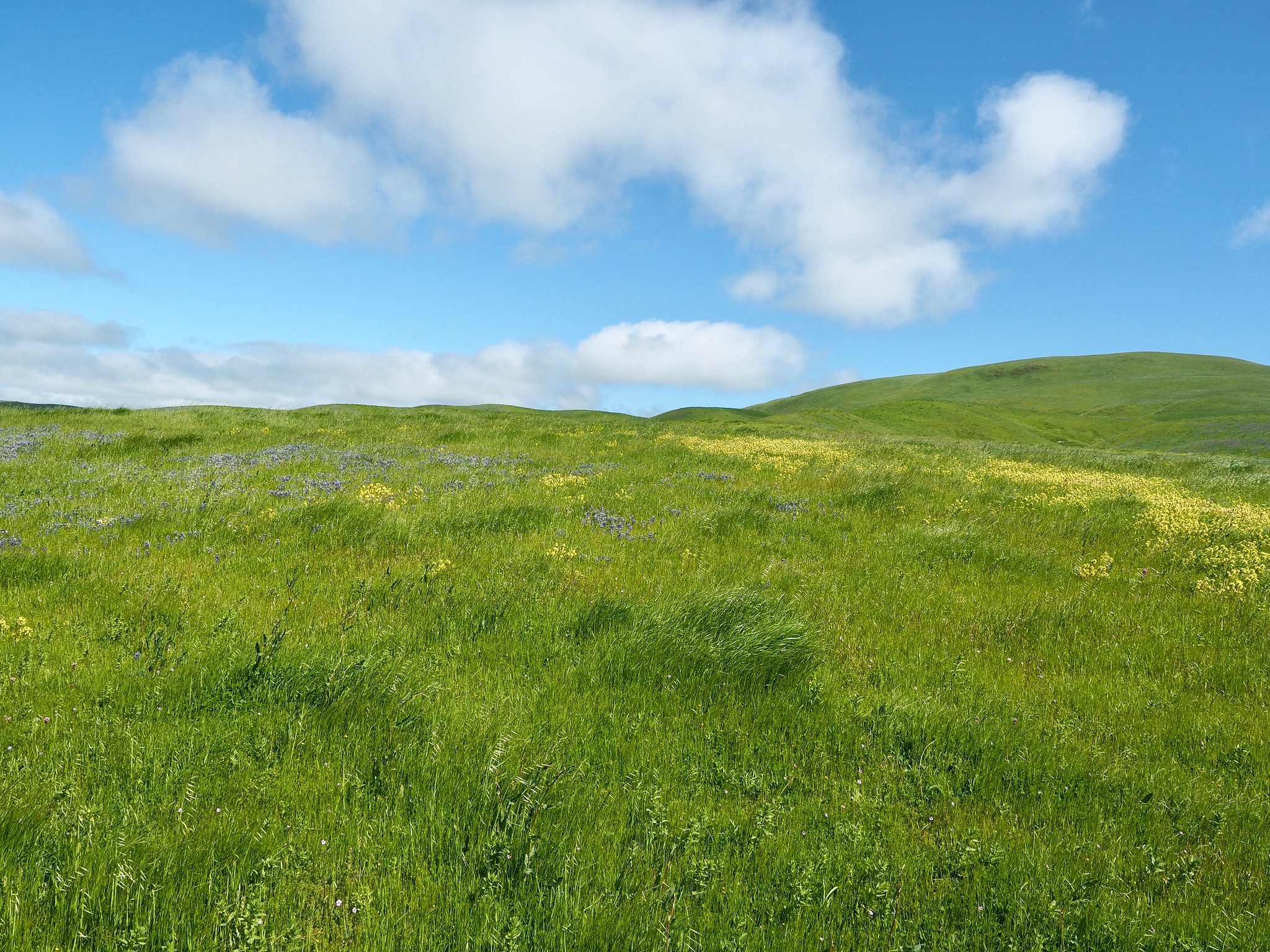
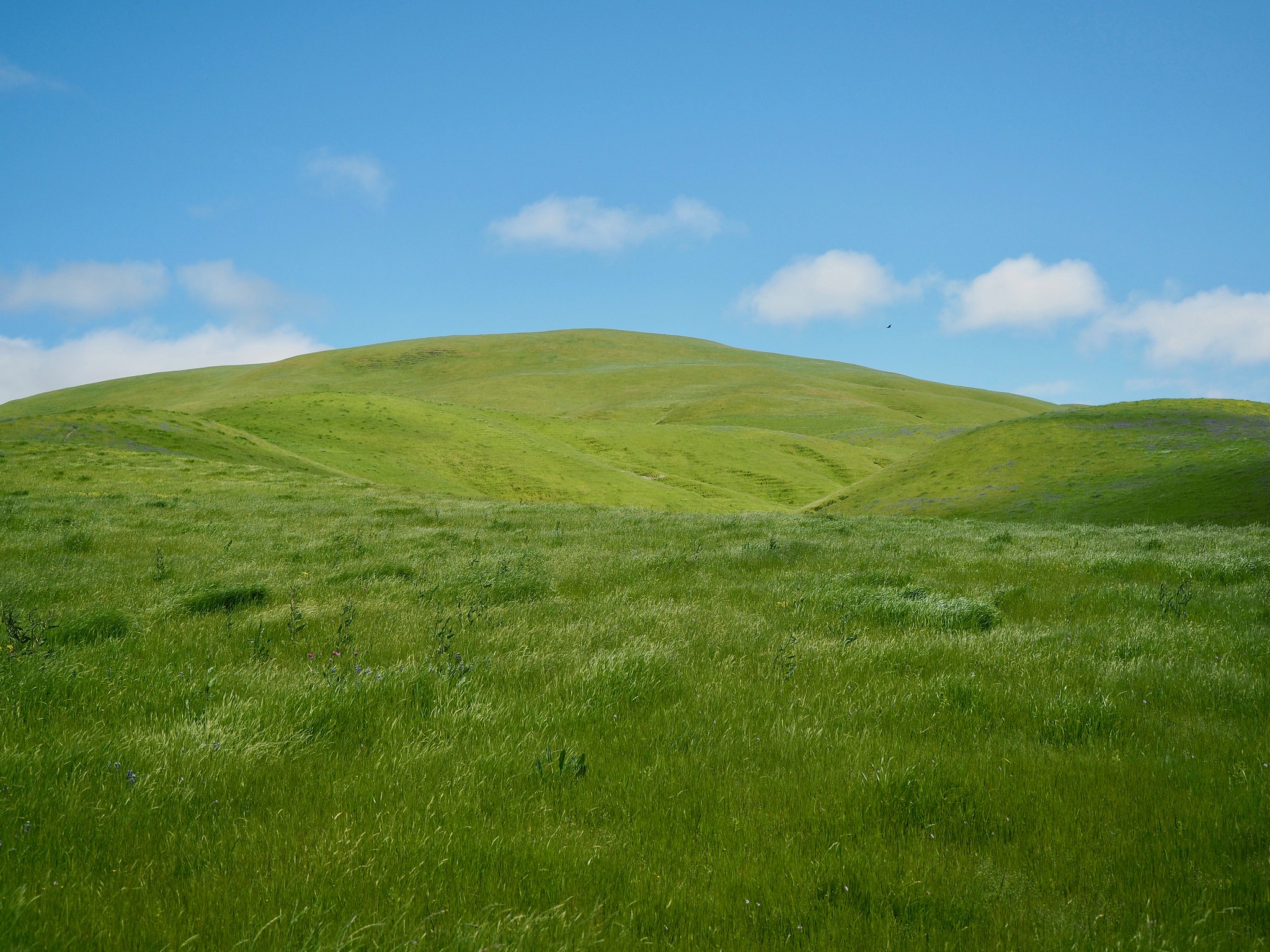


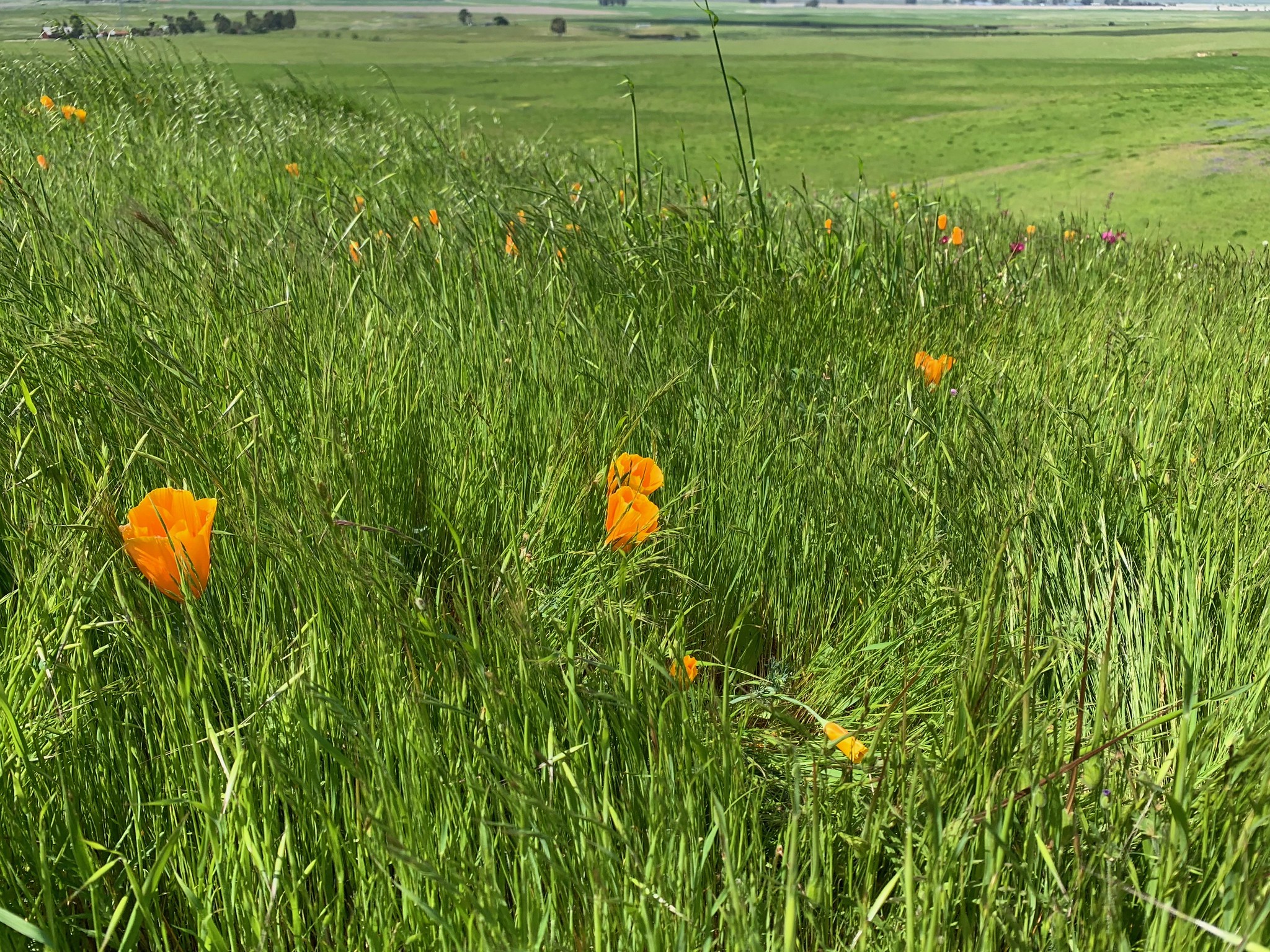

If you're in Northern California and are physically-able, you should try to get out and enjoy this; it's gorgeous!


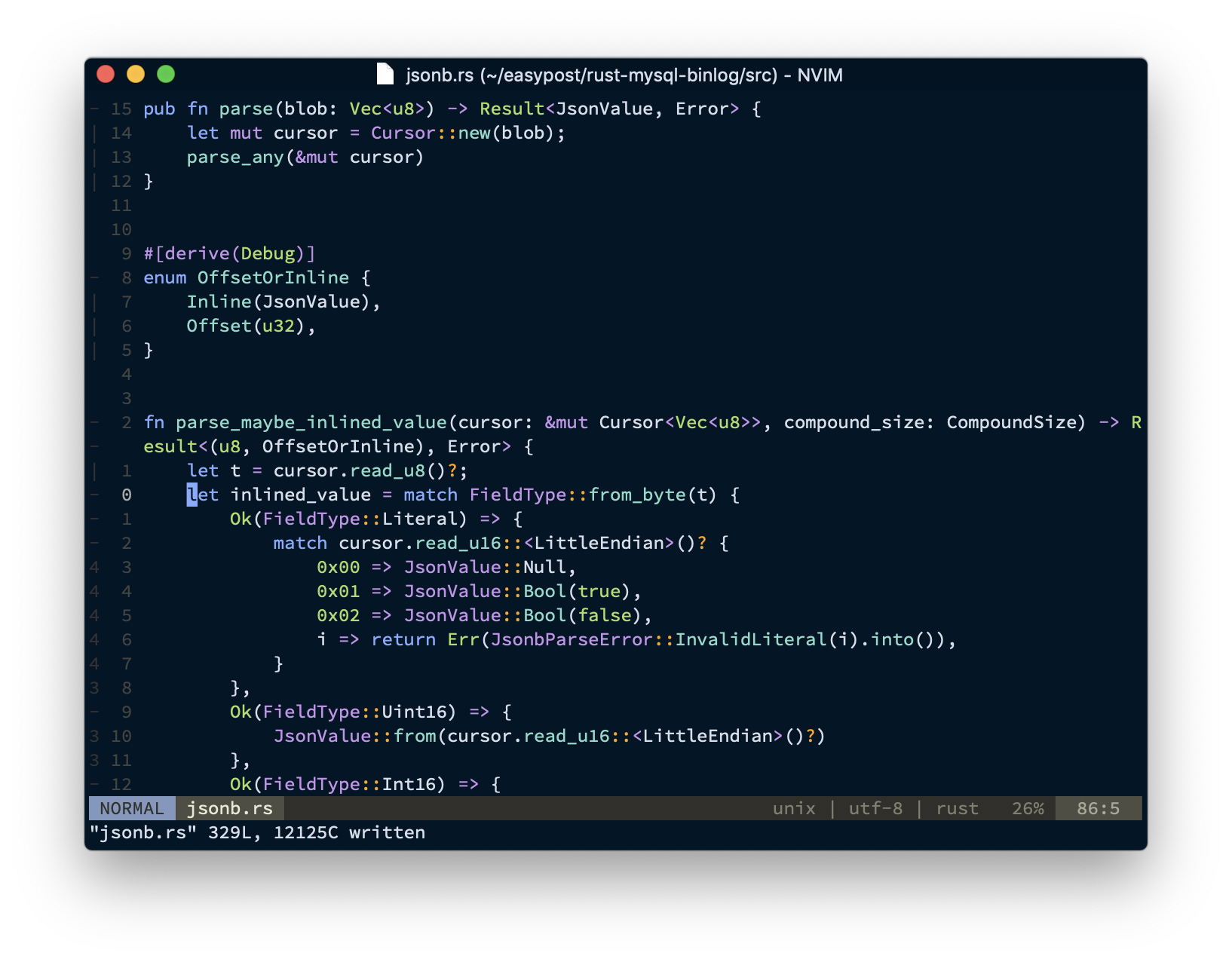
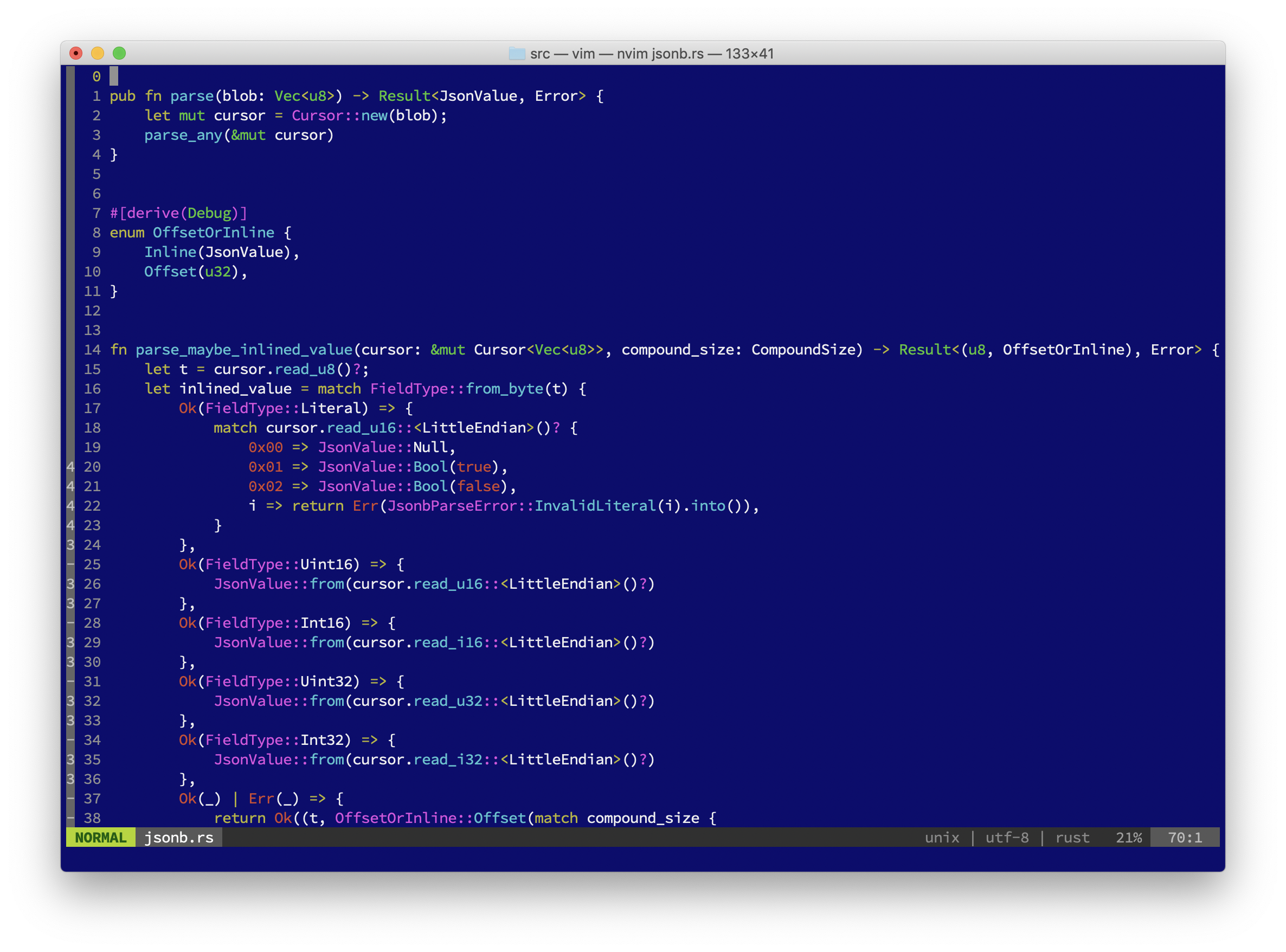
It's been a little while since I posted about my editor configuration, and I thought I might post what I'm using now. I guess the most notable change is that (after much prodding from my coworker Drew Ditthardt) I've switched from Vim to Neovim. Neovim is a vim-compatible editor written in C and Lua (as opposed to Vim, which is written in C, Vimscript, and prayers). I upgraded to Vim 8 last year and have had a few too many segmentation faults in the editor, so I decided to switch to something where more functionality was implemented in a memory-safe language. So far, Neovim has been pretty good to me, although the new process model means that it's pretty hard to write functions which invoke an external process which takes interactive input from a user.
As is probably expected for this sort of thing, here's a couple of screenshots; the first is of VimR, and the second is
from NeoVim in Terminal.app, both editing files from rust-mysql-binlog:
Some minor site updates over the last few days:
I also managed to backport in some blog posts from the 2004-2007 era that were on the Internet Archive. For posterity!
Feel free to leave a comment or e-mail me if you notice any bugs.
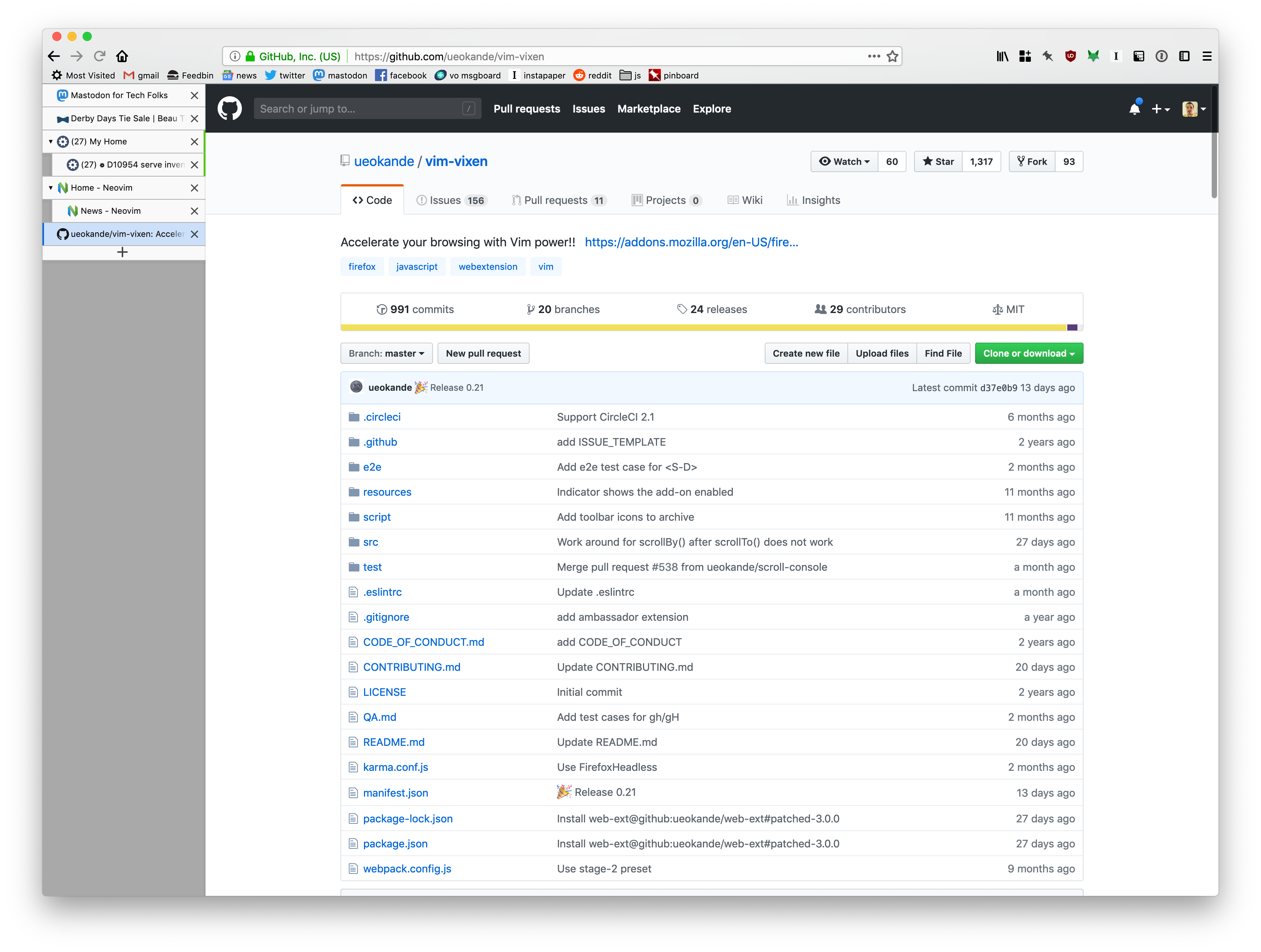
Here's a quick post on how I use and configure Firefox on my Macs. The last time I posted about any of this was in 2011, and things have changed a fair bit since then. First, a screenshot (from my new iMac):
Key extensions for this setup:
One thing you might've noticed from the screenshot is that I've hidden tabs from the titlebar (since they're in the sidebar), but I don't have a big ugly blank space up there. That trick is actually the driving impetus for this blog post, since every other post on how to do that is broken as of Firefox 64. If you want the exact same appearance I have, just create a chrome/userChrome.css file inside your Firefox profile directory1 with the following contents:
Note: This was updated on December 1, 2024.
@namespace url("http://www.mozilla.org/keymaster/gatekeeper/there.is.only.xul");
/* hide the native tabs */
#TabsToolbar .toolbar-items {
	visibility: collapse;
}

/* fix the titlebar color and padding */
.browser-titlebar {
	background-color: var(--toolbar-bgcolor) !important;
	justify-content: space-between !important;
	padding: 8px 0 !important;
	--inactive-titlebar-opacity: 1.0;
}

/* hide the sidebar header so Tree-Style Tabs looks native */
#sidebar-header {
	visibility: collapse;
}

/* Hide the border under where native tabs would be, to get the "unified toolbar" appearance of modern macOS */
#navigator-toolbox {
	--tabs-border-color: transparent !important;
}

/* the coloration of the titlebar to look like a toolbar */
#titlebar {
	background: var(--toolbar-bgcolor);
}

/* hide a single stray vertical line that creeps in if you have tabs hidden */
#titlebar .titlebar-spacer[type="pre-tabs"] {
	border-inline-end: 0 !important;
}
You'll need to restart firefox for it to take effect.
NOTE: You may need to set the toolkit.legacyUserProfileCustomizations.stylesheets to true in about:config to get Firefox
to load userChrome.css.
~/Library/Application Support/Firefox/Profiles/* on macOS; probably somewhere similar on other platforms. ↩
For the first time since early 2010, I have a desktop computer again!
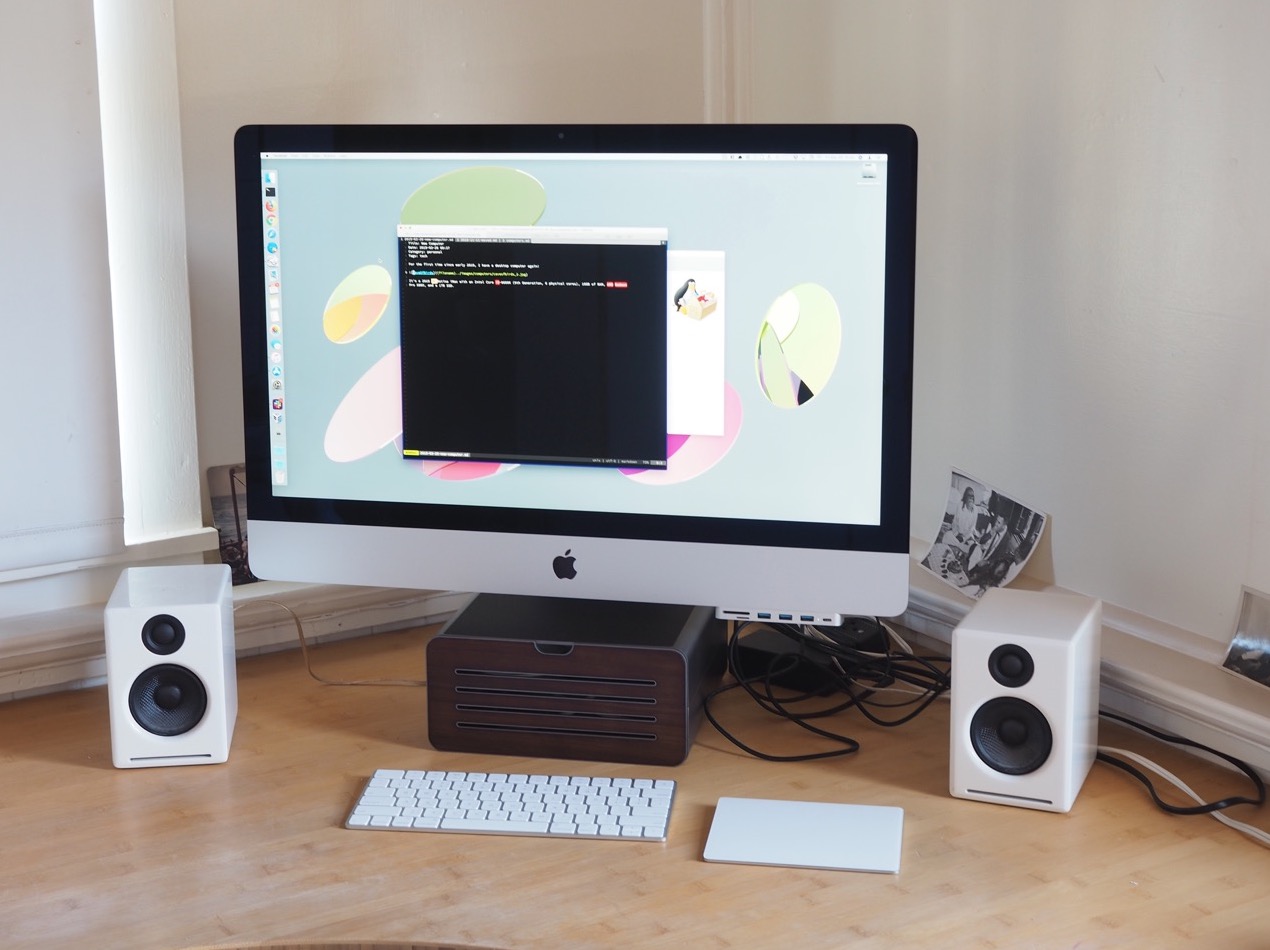
It's a 2019 5K Retina iMac with an Intel Core i5-9600K (9th Generation, 6 physical cores), 16GB of RAM, AMD Radeon Pro 580X, and a 1TB SSD. Geekbench isn't exactly scientific, but it reports this computer as 50% faster single-core, 150% faster multi-core than the computer it's replacing.
read moreHello infrequent readers: here's a piece of good news for once: as of October 27th, I've moved! $SPOUSE and I now
live in the Elmwood neighborhood of Berkeley,
California in a nice little two-bedroom one-and-a-half-bedroom
single-family residence. It's a little surreal; even though where we live has a pretty nice mixed-use vibe (there's
an apartment building around the corner, a bunch of restaurants nearby, and a Whole Foods only a few blocks away),
it's still practically rural compared to the apartment in the Tendernob
that I've lived in for the last eight years.