Fall; or, Dodge in Hell
Over my recent vacation, I read Neal Stephenson's latest book Fall; or, Dodge in
Hell, which is a rough sequel to 2011's
REAMDE. I thought I'd write up some brief thoughts I had on it and
maybe some questions for a hypothetical future reader. Like all of Stephenson's work from the last couple of decades,
this book is a meandering combination of science fiction, philosophy, political commentary, and
mythical fantasy. The Kindle edition I read is 880 pages long, and went pretty quickly over four three-hour flights.
In general, I'd give it ★★★☆☆. It's got lots of interesting ideas, but it's shot through with too much ridiculous
libertarian ideology, and it tries to tell too way too many stories in parallel. If you liked Cryptonomicon, you'll
probably like this book, but I would be surprised if anyone likes it enough to plod through it twice.
WARNING: This post will contain significant spoliers for both
Fall and REAMDE; don't keep reading untless you've either read both or are highly confident you aren't going to read
either.
read more
Dark Mode
Small update: this website now supports "Dark Mode" on macOS 10.14+ iOS 13+, and the forthcoming Android Q, all using the
prefers-color-scheme CSS media
selector. Let me know if you see anything that looks janky!
Ode to a Pager
I've been on-call for most of the last 11 years. I was on-call for the CS Department at Mudd. I was on-call at
Yelp, in a rotation that at times contained as few as three people. I was on-call at Uber in rotations ranging from one
to twenty people. And I've been on-call at EasyPost — initially in a rotation with one other person, and
currently with two other people. I have responded to tens of thousands of pages. I have been woken up in the middle of
the night hundreds of times. For the last seven or so years, I've worked at firms where on-call was a BYOD kind of a deal — you bring your own cell phone, register it in
PagerDuty, and that's how you handle being on-call. This is my ode to the unfairly-hated pager, to
the practices of yore.
Let's look at the phone you have in your pocket right now:
- It runs iOS or Android
- It gets at most two days of battery life
- It receives phone calls, of which at least 90% are robots saying things like
Hey buddy, this call is from the Department of Social Security
- When it's not getting phone calls, it's constantly begging for your attention with notifications, most of which are some degree of spam
Is this the device you want to have to have on and audible 24 hours a day, 365 days a year? Do you love the idea of
Apple's Do Not Disturb feature? Well, screw you because PagerDuty might need to reach you at any instant. Do you miss
going out into the woods for a hike? Too bad, Apple had to shave 0.7mm off the latest iPhone so now the antenna only
works if it has direct line of sight to the AT&T worldwide headquarters in Dallas, TX. Want to quickly see what you're
getting paged about? I hope you like watching this brief animation as all your icons swoosh in from whatever armpit
of the universe they spend the off-time drinking in before you can actually do anything. Oh, you're using the native
PagerDuty app? Well, then, you've got to give it 10 seconds to load (despite the fact that the Apple A12 CPU in your
phone is faster than any computer CPU that existed anywhere on the planet 10 years ago) so that it can render some
emojis and prompt you to take an "On-Call Selfie".
My ideal on-call device would look something like the following:
- Small and lightweight
- Extremely long battery life (imagine... weeks without recharging)
- Only capable of receiving emergency notifications from PagerDuty so I can leave it on, unmuted at all times
- On a network with great distance and building penetration
- Maybe a one or two line black-and-white display just long enough to print out messages like
CRITICAL: web1sf - 4 packets transmitted, 0 received, 100% packet loss
- Maybe two buttons so you could acknowledge or escalate incidents — but maybe not; I'm probably going to grab a laptop or bigger device to actually do the investigation
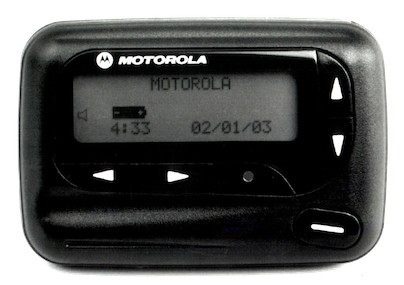
Do you know what I've just described, you bunch of ingrates? You damned dirty apes? A bona fide two-way pager. We had the technology! We had
built the perfect system! And we destroyed it! In our frivolous pursuit of only carrying one device, in our employers'
endless pursuit of simpler procurement, we got rid of a system where your employer provides a simple-to-use
single-function device to you, the employee, and replaced it with a system where you bring your own massively
over-complicated device, pay your own connectivity bills, and then miss pages at 3 in the morning because you got too
many goddamn Farmville notifications and your battery died.
Ditching Gmail After 15 Years
Everyone who even casually follows the tech industry knows, intellectually, that Google builds an enormous dystopian profile of everything you do in order to sell ads.
But I think there's a difference between knowing that Google Analytics is a shameless back door to do cross-site tracking and actually coming face-to-face with your own profile. Yesterday, CNBC featured a
story about a new
Google UI which shows you a list of every purchase that you've made in the last few years:
https://myaccount.google.com/purchases. For me, wide variety of commercial activity — every
purchase I've ever made at a store that uses Square, every Amazon purchase, every Apple purchase, every movie ticket.
I see gifts for my wife, work purchases, and even food for my rabbits. And on almost every item is a note: This
purchase was found in your Gmail.
It's been clear for a long time that Google as a company no longer considers their users to be much more than
piñatas full of delicious data; for me, seeing that list of the last 7+ years of every purchase I've made
electronically
is the last straw. As of today, I'm taking my personal domain (roguelazer.com) off of
the grandfathered free-tier Gsuite mail hosting that it's had for the last 10+ years and moving it to
a host that seems less inclined to aggressively mine it for data, and moving as many accounts as possible to no
longer depend on my gmail.com account. I opened my Gmail account 15 years ago, so I guess it's time to move on.
I went through the current crop of mail hosts, and evaluated them against the following conditions:
- I don't want to self-host; I have no interest in actually maintaining (and monitoring and backing up) an SMTP and IMAP server. I get enough of my day job at my day job.
- I prefer to use regular IMAP and SMTP protocols and mail clients (e.g., mutt); anything that requires that you use the provider's custom application is right out.
- I'd like a hosting provider who's been around for a few years and seems unlikely to vanish off the face of the
Earth tomorrow
- Decent performance from the US
After doing some research, I decided that Fastmail was the least-worst
option. So I've migrated all my mail out of Gsuite onto Fastmail, re-pointed my MX records, and configured
Gsuite to route any mails that still trickle into it over to Fastmail. Some time tomorrow when all the TTLs have
expired, I will be shutting down my Gsuite account.
If you want to have a chance in hell that our grandkids won't live in a surveillance dystopia, search with
DuckDuckGo, close your Gmail account, switch to
Firefox, and remind your elected officials that the world would be a better place without Big Data.
GPG Key Transition
My current PGP/GnuPG key is expiring, so I've rolled a new one. The ID of the new key
is 0x3C7775DD37811E62 (full fingerprint:
1ED5 E5A3 01C3 D109 9040 2289 3C77 75DD 3781 1E62)
and it should be in your favorite keyservers,
cross-signed by my old key. You can also find it at https://files.roguelazer.com/roguelazer.gpg.
It has also been attached to my keybase.io account and my Github
profile. My previous key (0xAEE8F2454A41B87D) has not been revoked
and has not been compromised, but you should still stop using it if possible. The new key is a 4096-bit RSA
key with SHA-2 digest signatures — I'm not quite bold enough to switch to ECC for a long-lived key yet.
My signed transition document is below, and can also be found at
2019-04-27-key-transition-statement.txt.asc if
you prefer to download it directly.
Additionally, I have generated a separately-signed key with ID 0x233E5EAF0EC3ABA9 (full fingerprint:
14E8 9660 188D BC9B 2C17 67AA 233E 5EAF 0EC3 ABA9). This key should not be used for communication,
but will only be used to sign VCS commits/tags/&c (in Git and perhaps in
Pijul). It's going to be on my [managed] work computer, so treat it with a grain
of salt.
read more
Wildflowers
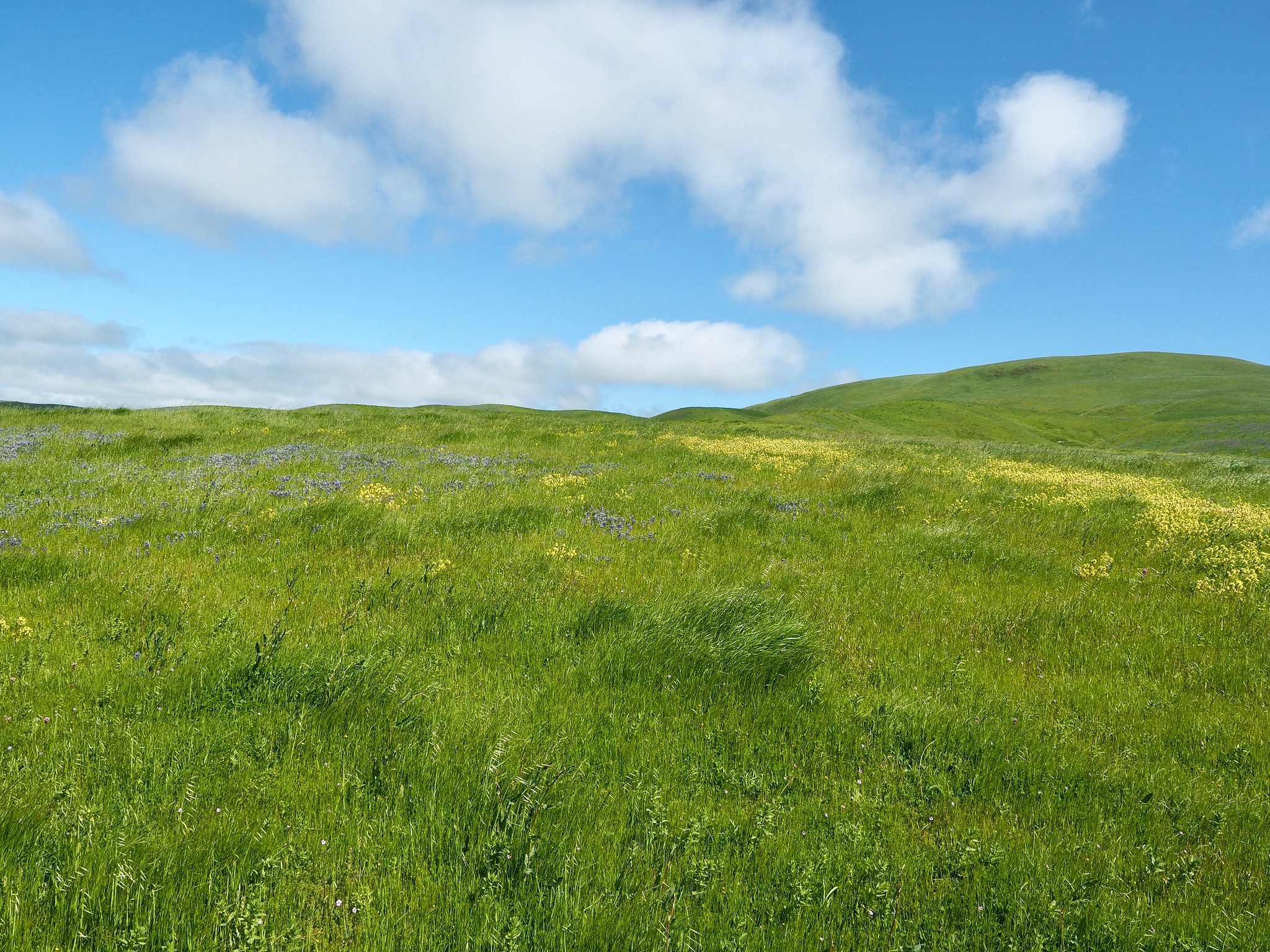
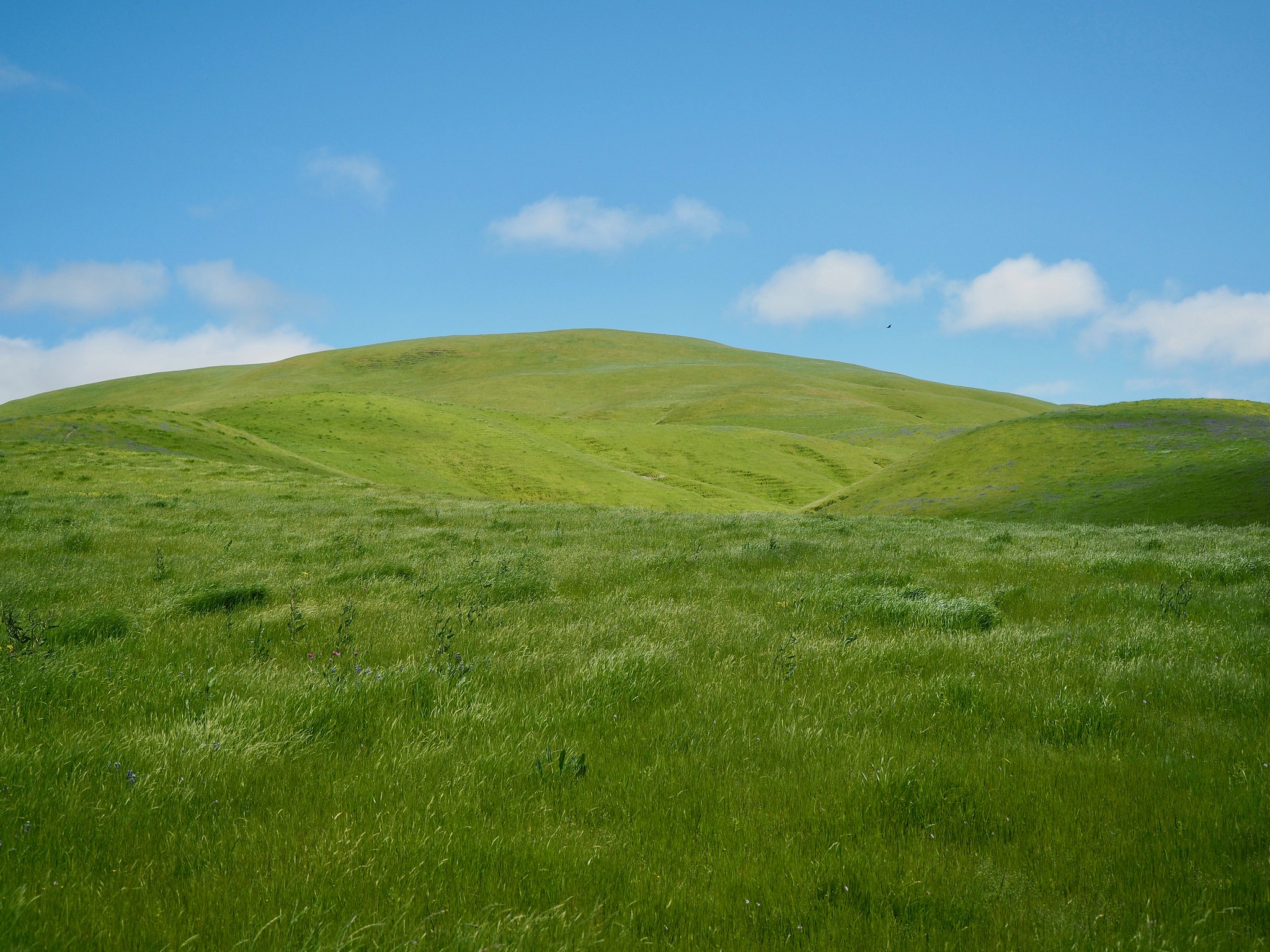
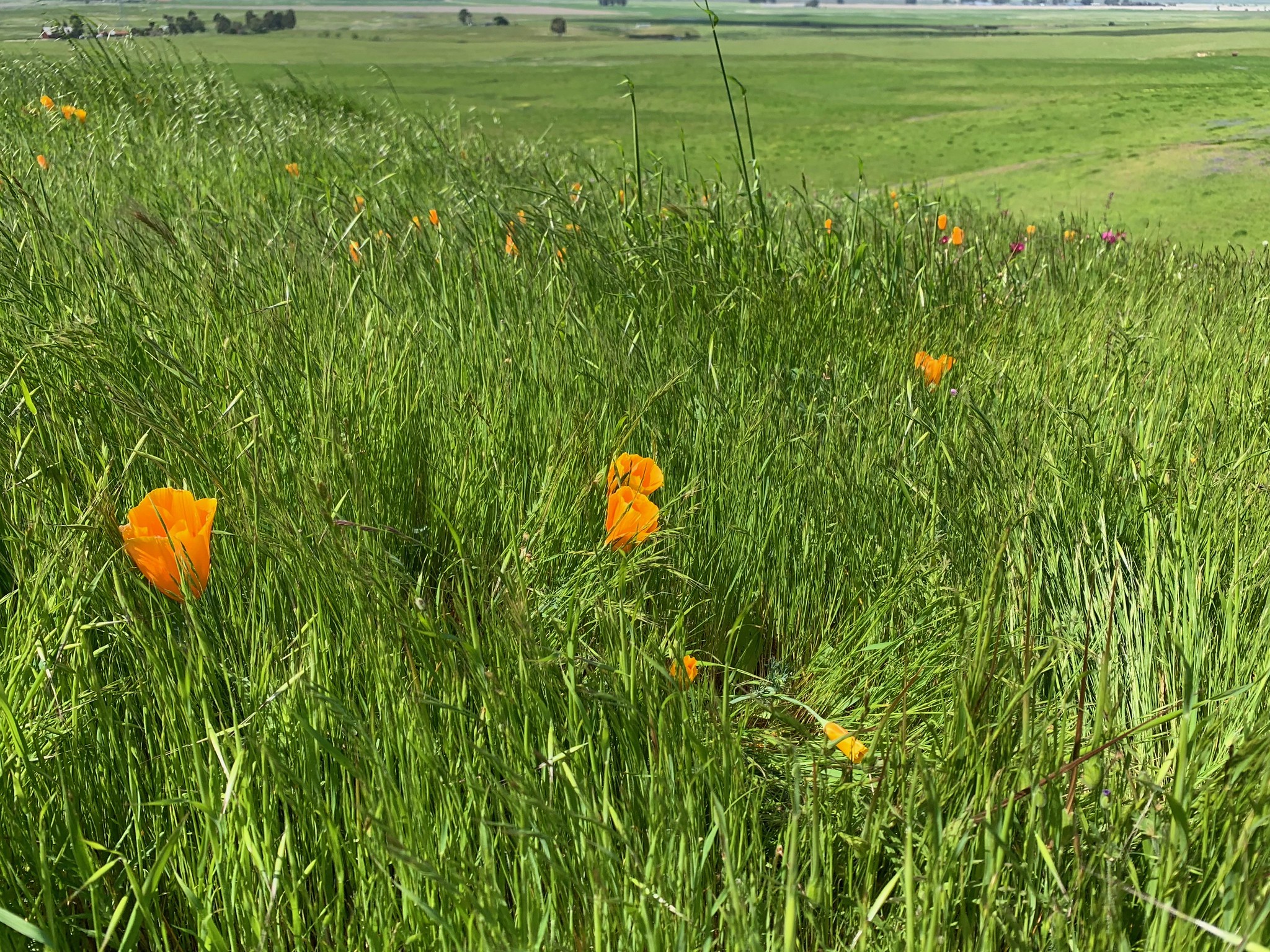
I went up yesterday with my wife's family to hike around on some Sonoma Land Trust property up in the North Bay and brought my camera. It's amazing to see the hills green and growing after so many years of drought! You can see a smattering of photos in this flickr album, but here are some of my favorites:
If you're in Northern California and are physically-able, you should try to get out and enjoy this; it's gorgeous!
Vim Setup: 2019
It's been a little while since I posted about my editor configuration, and I thought I might post what I'm using
now. I guess the most notable change is that (after much prodding from my coworker Drew
Ditthardt) I've switched from Vim to Neovim. Neovim is a vim-compatible editor
written in C and Lua (as opposed to Vim, which is written in C, Vimscript, and prayers). I upgraded to Vim 8 last
year and have had a few too many segmentation faults in the editor, so I decided to switch to something where more
functionality was implemented in a memory-safe language. So far, Neovim has been pretty good to me, although the
new process model means that it's pretty hard to write functions which invoke an external process which takes
interactive input from a user.
As is probably expected for this sort of thing, here's a couple of screenshots; the first is of VimR, and the second is
from NeoVim in Terminal.app, both editing files from rust-mysql-binlog:
read more
Site Updates
Some minor site updates over the last few days:
- Comments are now powered by Commento instead of Disqus. This
significantly reduces page load size on pages with comments.
- Icons (social media, etc) are all now 2x resolution for modern retina screens.
- Site-specific search is now powered by DuckDuckGo instead of Google. No longer loads an iframe, significantly
faster site-loads, and better privacy to boot.
- Archives page works again. Did this ever work?
- Page is back to being fluid instead of fixed-width.
- Improved CSS across the board, particularly on mobile devices.
- Code page is updated.
I also managed to backport in some blog posts from the 2004-2007 era that were on the Internet Archive. For
posterity!
Feel free to leave a comment or e-mail me if you notice any bugs.
Firefox Setup: 2019
Here's a quick post on how I use and configure Firefox on my Macs. The last time I posted
about any of this was in 2011, and things have
changed a fair bit since then. First, a screenshot (from my new iMac):
Key extensions for this setup:
- Vim Vixen
- Vim keybindings for Firefox. Not quite as good as Vimperator, but works with modern Firefox, and getting better
all the time. The only thing I really miss is macro recording, which I used all the time in Vimperator.
- Tree-Style Tabs
- Our monitors are widescreen; why would you try to stack tabs at the top of the window, taking up vertical space? Tree-style tabs lets you have a tab-hierarchy in a space-friendly manner.
- uBlock Origin
- I tried to go without an ad-blocker for a few years, to support independent businesses, but it's just not possible. Loading even relatively trustworthy sites (especially, for some reason, webcomics lately) is just a flood of malvertising now. uBlock Origin is the most popular ad-blocker these days. ¯\_(ツ)_/¯
- Multi-Account Containers
- This little extension makes it possible for me to have work tabs alongside personal tabs without corrupting all of my history all of the time. In particular, it lets me map sites (at the domain level) to automatically open in one tab container or another. I wish this supported wildcard domains so I could point every work domain at a container, but it's a start
- New Container Tab
- Adds a keybinding to open a new tab in the same container as the current tab (as opposed to the Firefox default, which opens the "Default", untagged container when you press Cmd-t
- Mac OSX Light
- This just makes the toolbar/titlebar color match the rest of macOS instead of being slightly off. It only works
in "Light Mode".
- 1Password
- Don't leave home without it.
One thing you might've noticed from the screenshot is that I've hidden tabs from the titlebar (since they're in the sidebar), but I don't have a big ugly blank space up there. That trick is actually the driving impetus for this blog post, since every other post on how to do that is broken as of Firefox 64. If you want the exact same appearance I have, just create a chrome/userChrome.css file inside your Firefox profile directory with the following contents:
@namespace url("http://www.mozilla.org/keymaster/gatekeeper/there.is.only.xul");
/* hide the native tabs */
#TabsToolbar .toolbar-items {
visibility: collapse;
}
/* fix the titlebar color and padding */
.browser-titlebar {
background-color: var(--toolbar-bgcolor) !important;
justify-content: space-between !important;
padding: 8px 0 !important;
--inactive-titlebar-opacity: 1.0;
}
/* hide the sidebar header so Tree-Style Tabs looks native */
#sidebar-header {
visibility: collapse;
}
/* Hide the border under where native tabs would be, to get the "unified toolbar" appearance of modern macOS */
#navigator-toolbox {
--tabs-border-color: transparent !important;
}
/* the coloration of the titlebar to look like a toolbar */
#titlebar {
background: var(--toolbar-bgcolor);
}
/* hide a single stray vertical line that creeps in if you have tabs hidden */
#titlebar .titlebar-spacer[type="pre-tabs"] {
border-inline-end: 0 !important;
}
You'll need to restart firefox for it to take effect.
NOTE: You may need to set the toolkit.legacyUserProfileCustomizations.stylesheets to true in about:config to get Firefox
to load userChrome.css.
2019 iMac First Impressions
For the first time since early 2010, I have a desktop computer again!
It's a 2019 5K Retina iMac with an Intel Core i5-9600K (9th Generation, 6 physical cores), 16GB of RAM, AMD Radeon
Pro 580X, and a 1TB SSD. Geekbench isn't exactly scientific, but it reports this computer as 50% faster single-core,
150% faster multi-core than the computer it's replacing.
read more